Add Users to a Group
Adding users to a group in VIDIZMO assigns them the group's feature permissions and CAL-based access rights. Each group has predefined permissions, and users inherit those permissions when added.
For more information on group types and permissions, see Understanding Group Management.
Prerequisites
- You must be a member of the Group Manager group or have Group Management permissions enabled.
- The users you want to add must already be members of the portal.
Add Users to a Group
- Select the hamburger menu (☰), then go to Admin > Users & Groups.
- In the Groups panel, select the group you want to add users to.
- Select the overflow menu (⋮) next to the group name, then select Edit Users in Group.
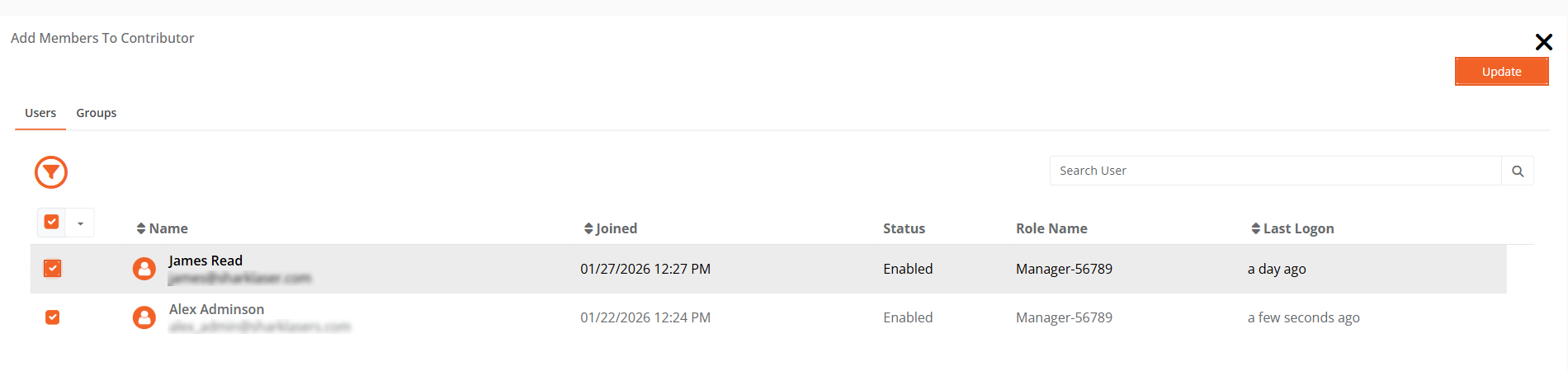
- On the Add Members page, select the checkboxes next to the users you want to add.
- Select Update.
A confirmation notification appears: "Selected user successfully added to the group."
NOTE: The Edit Users in Group option is not available for the All Users group because all portal users are automatically members of this group.