Workflows
A workflow is a structured representation of a process, composed of nodes, edges (connections), and variables, connected to automate tasks. In VIDIZMO Agentic AI, workflows define how an agent executes tasks, interacts with external services, and generates responses in a chatbot.
A workflow encapsulates all steps and actions required to complete a task, allowing Agent to operate efficiently, reliably, and at scale.
Workflow Designer
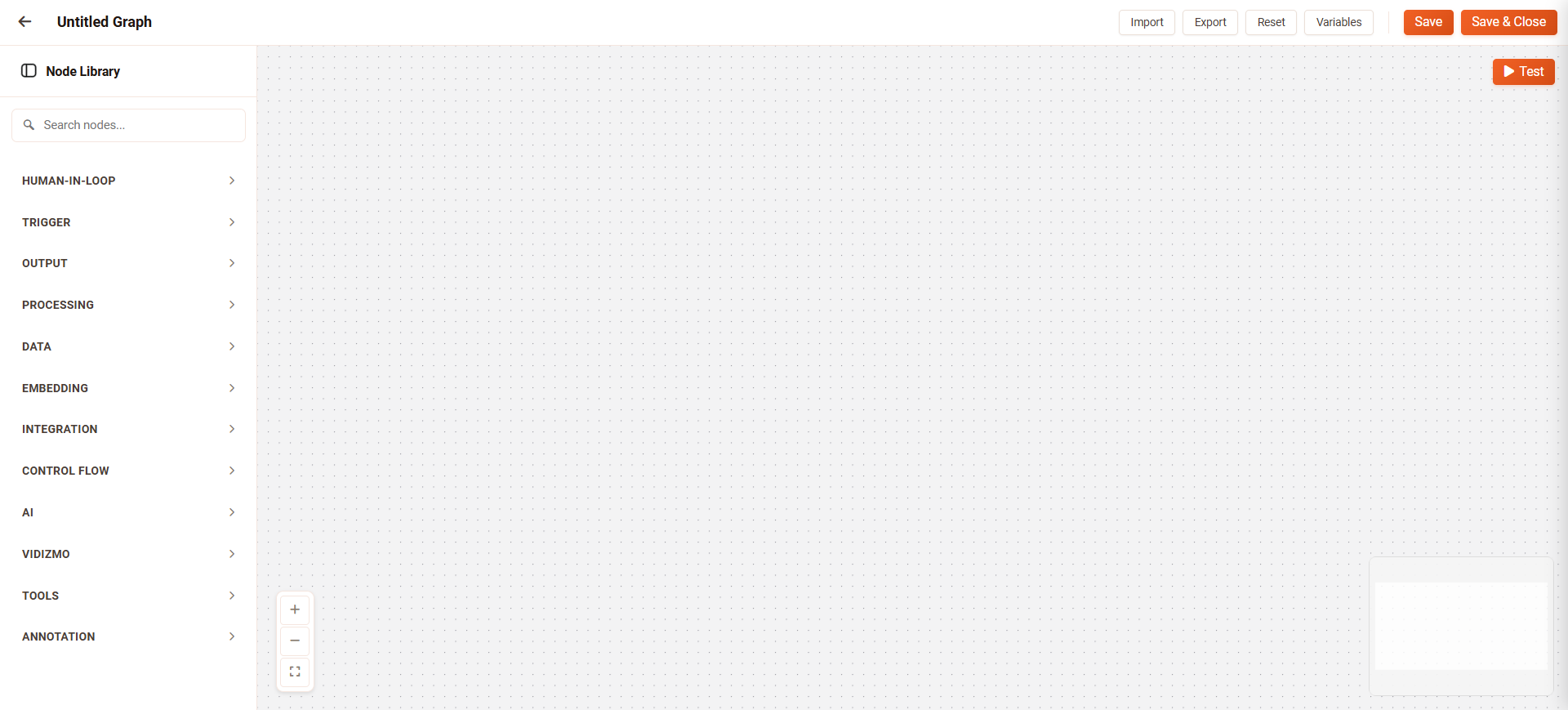
The workflow designer is a visual canvas for building multi-step agent workflows. It allows users to:
- Start from predefined templates.
- Drag and drop nodes to represent each step in the workflow.
- Configure typed inputs and outputs for each node.
- Review the inputs and outputs between steps to ensure downstream nodes receive the data they expect.
Once the workflow is designed, it can be configured into an agent. When executed, the agent performs the workflow and the chatbot displays the final response in the portal.
Workflow Components
Nodes Library: The Nodes Library provides a catalog of available actions organized by category, including triggers, AI processing, search, documents, data transformation, logic, integration, and output nodes.Each node represents a discrete operation that contributes to the workflow.
Connections: Connections define the control flow between nodes. They indicate the order in which nodes execute and allow data to pass between operations.
Node Configuration Panel: When you select a node in the workflow,the Node Configuration Panel opens where you can define the node’s settings, inputs, and behavior.
Variables:
Workflow level variables store values that can be accessed by any node in the workflow. Variables support multiple data types (String, Number, Boolean, Date, Array, Object) and are referenced using ${variableName} syntax.
Benefits of Workflow
Workflows simplifies everyday work by reducing repetitive tasks, minimizing errors, and keeping processes moving efficiently. Key benefits include:
- Time Savings: Automates routine tasks so teams can focus on higher-value work.
- Error Reduction: Ensures consistent execution of processes.
- Ease of Use: Users can build smart workflows using intuitive tools.
- Scalability: Workflows can grow and adapt as business requirements evolve.
Planning Ahead
Implementing workflow successfully requires a clear plan:
- Define Objectives: Identify repetitive or error-prone tasks.
- Design Workflows: Map out steps, inputs, outputs, and control-flow logic.
- Test Workflows: Validate that all nodes execute correctly and data flows as expected.
- Deploy and Monitor: Integrate workflows into a Agent and observe performance for continuous improvement.
Manage Workflows
You can manage your workflow templates by cloning, editing, or deleting them.All new workflows are set to Inactive state by default, except for the default workflow templates provided by the system. Workflows must be set to Active state before they can be used with an agent.
To activate or deactivate a workflow, navigate to Portal Settings > Chatbot > Workflow, and toggle the Active / Inactive switch. Once a workflow is active, it runs automatically with the agent it is configured for.
Workflow Templates
When creating a new workflow, you can start with an empty workflow or use an existing template. Workflow templates are available in the VIDIZMO portal by default and are active by default, so they can be directly configured within an agent.
Templates provide pre-built workflows for common tasks. For example, the Summarization Graph Template allows you to simply enter a video file name in the chatbot and receive a summary of the video’s content.
Test a Workflow
Testing a workflow allows you to validate the entire execution flow before deploying it with an agent. Unlike testing individual nodes, workflow testing runs all connected nodes in sequence and simulates a complete chat session.
What You Will See
During and after the workflow test, you can observe:
-
Chat Simulation: The Test Panel displays the conversation flow as it would appear in the chatbot.
-
Node Execution: Watch nodes execute in sequence on the canvas as the workflow progresses.
-
Final Output: View the response generated by the workflow after all nodes complete.
-
Errors and Warnings: Any issues encountered during execution are displayed in the panel.
Why Test Workflows
-
End-to-end Validation: Verify that all nodes work together correctly and data flows as expected.
-
Simulate user Interaction: Test how the workflow responds to different user inputs.
-
Catch Integration Issues: Identify problems that only appear when nodes interact with each other.
-
Preview Chatbot Behavior: See the exact response users will receive before deploying.
TIP: Test your workflow with various inputs to ensure it handles different scenarios correctly. Include edge cases and unexpected inputs to verify error handling.
Summary
Workflows are the processing engine of VIDIZMO Agentic AI. They define the automation logic that searches content, processes data, and generates responses. Built visually in the Workflow Designer, workflows provide the intelligence that the Agent wrap and present to users through the chatbot interface.